

Open-source WiFi module for Itho devices with an RJ45 COM/Diag port
Connect your Itho device to your network with one module — without any changes to the Itho, so your warranty stays intact. Read out sensor, system and status information, view and adjust settings, and control the Itho through an API.
- Control the Itho through a web interface, MQTT or the WebAPI
- Automatic detection in Home Assistant (via MQTT) — works with any system that speaks MQTT or an API
- No changes to the Itho hardware
- Delivered fully assembled, flashed and tested — fit it in a few minutes
- Open source
Note: adjusting settings is possible, but at your own risk — back up your current settings first.
Supported devices
- HRU-3 BVL-001
- HRU-3-BVFT-L-004
- HRU ECO-fan
- HRU 250, HRU 300 P and HRU 300 R (extra parts needed — see below)
- HRU 350
- HRU 300 V / HRU 375 V / HRU 400 — RF only (with CC1101). Reading the status is possible; changing settings does not appear to be possible.
- DemandFlow / QualityFlow
- WPU 4G/5G (heat pump)
- AutoTemp
Got an HRU 200? Use the CVE version of the add-on for that.
Models that don’t work
- HRU-3 GBL-000
- HRU-3 GBL-001
- Itho HPS series
HRU 250 / HRU 300 — extra parts needed
The HRU 250/300 works, but alongside the module it also needs an adapter board and a PCI-e splitter cable for the connection and read-out. To control it (send commands) you also need a CC1101 RF module.
The easiest way is to order this as a ready-made set. Prefer to buy separately? Adapter board and PCI-e splitter cable. You can also make a cable yourself — see GitHub issue #97.
What do you get?
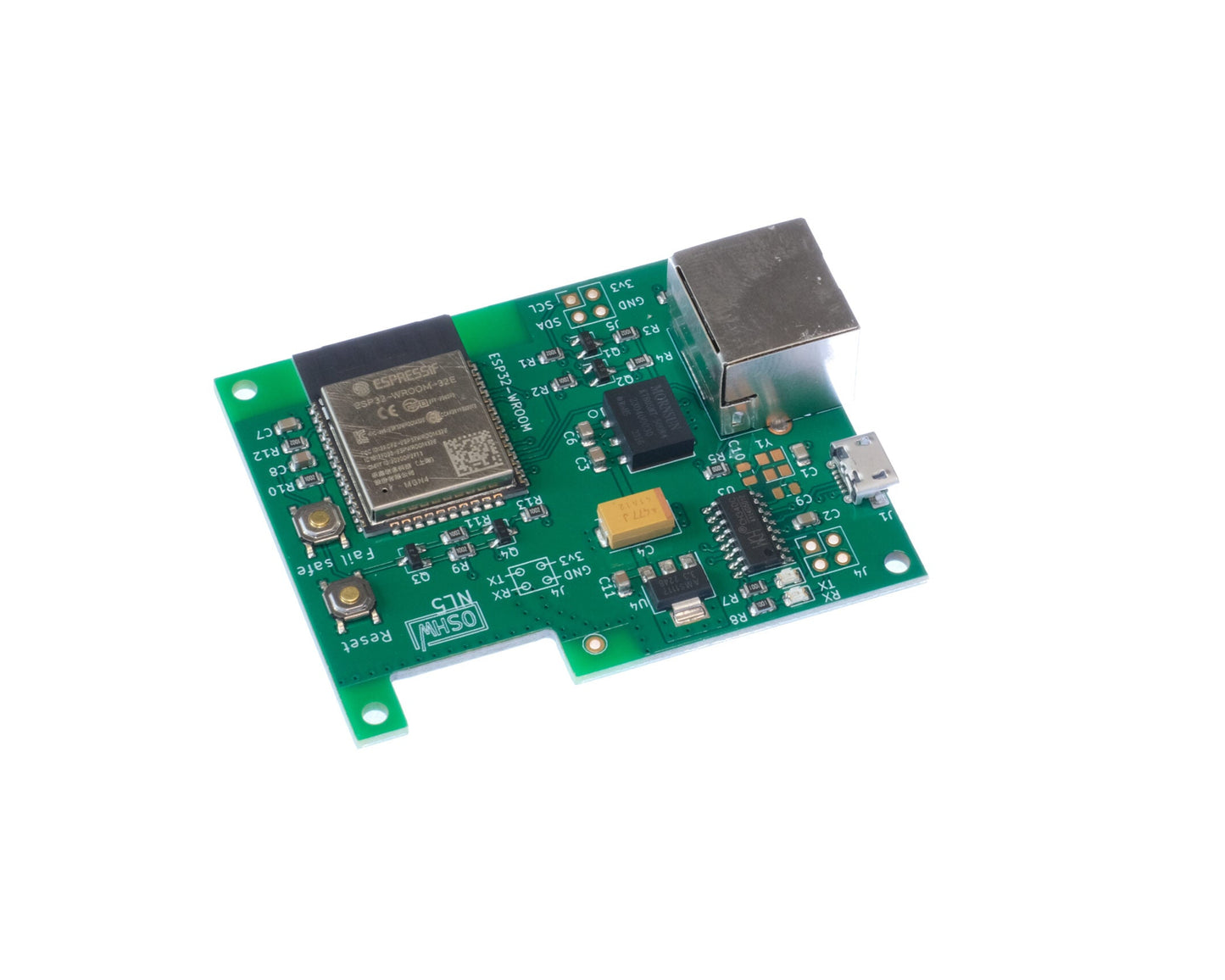
The WiFi module as shown in the image: fully assembled, flashed with the right firmware and tested with a real Itho device.
What else do you need?
- Network cable (add to your order) to connect the module to the Itho. Use a short, good-quality cable (max 25 cm, CAT6a or better) — most connection problems come from poor cables.
- Enclosure for the PCB — view the enclosure.
- CC1101 RF module (optional, add to your order) — needed for RF features and for controlling the HRU 250/300.
RF module (CC1101) — option
With the RF module you receive the RF signals from your Itho devices (such as remotes). Your home automation then shows the remote status and — with a CO2/humidity sensor — the readings and, where available, the battery status. You can also connect remotes directly to the add-on and set the speed and timer per button, or control on exact CO2 and humidity values.
Connection
DemandFlow / QualityFlow — the leftmost port (black connector):

HRU — the connection marked “COM”:

HRU 300 — connection with a PCI-e splitter on the HMI:
